List Your Venue on Courtogo
Reach more players, manage bookings effortlessly, and grow your sports venue -- all from one free platform.
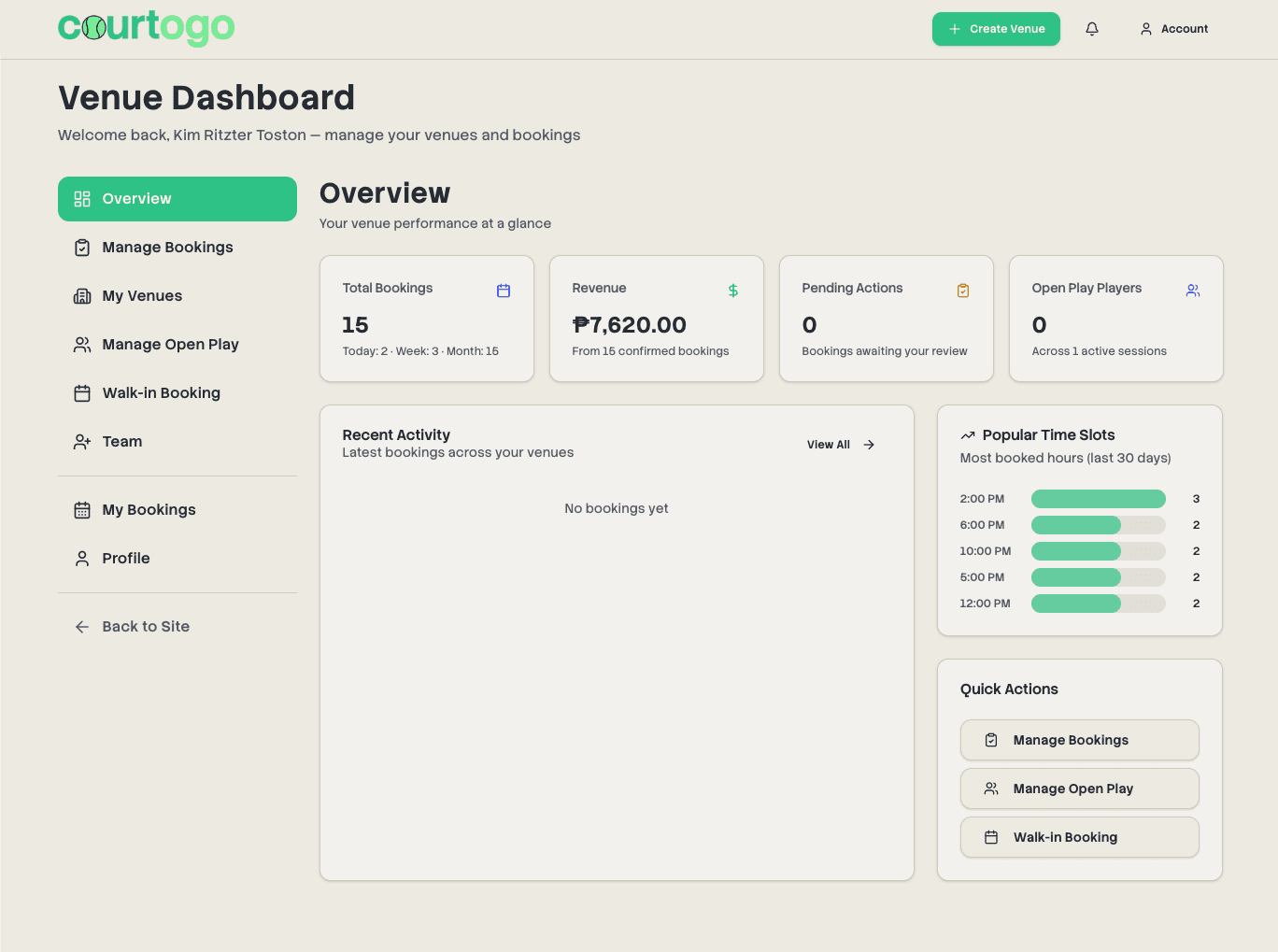
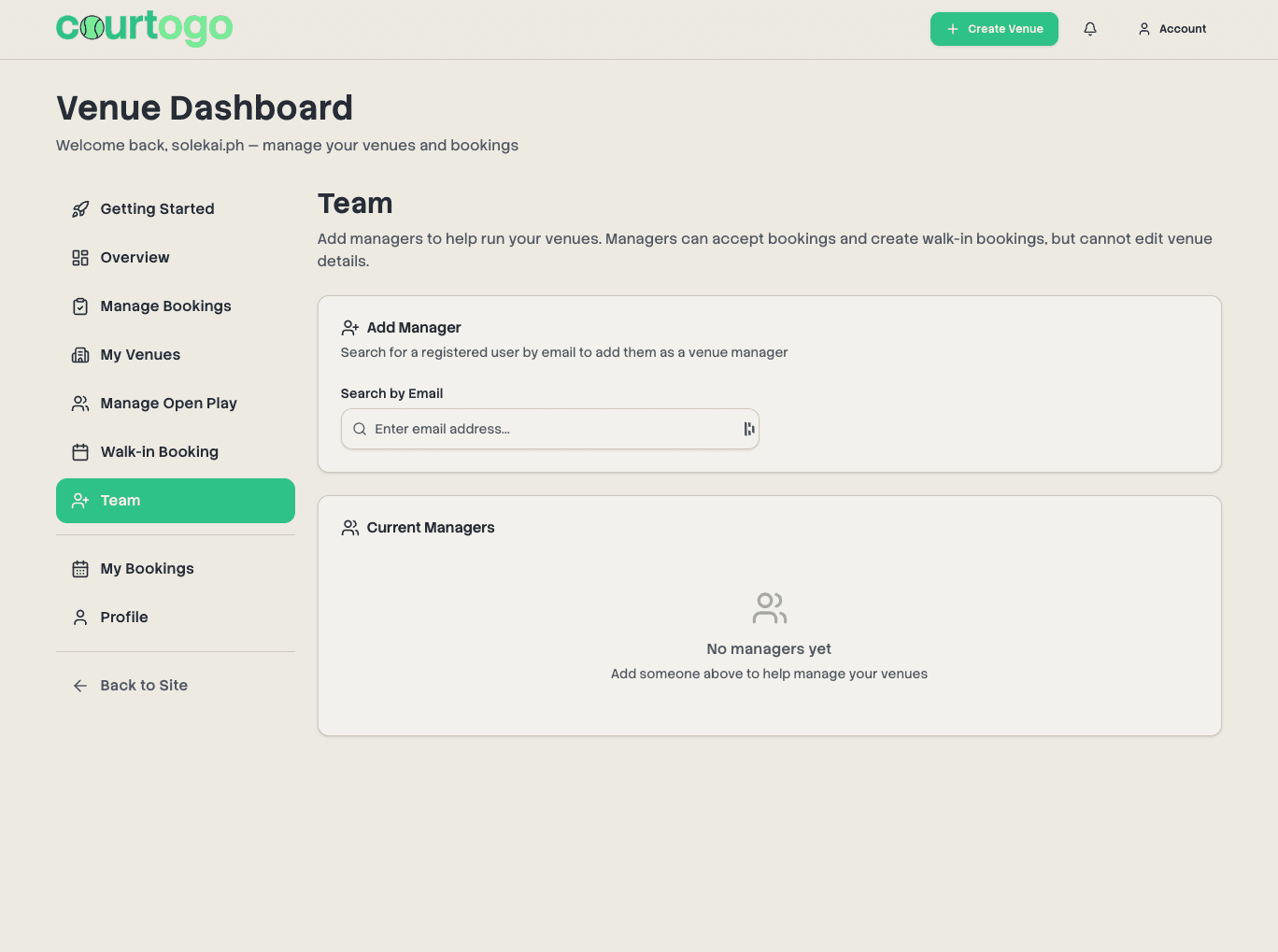
Your dedicated owner dashboard with analytics, bookings, and venue management
How to Get Started
Follow these simple steps to list your venue and start accepting bookings
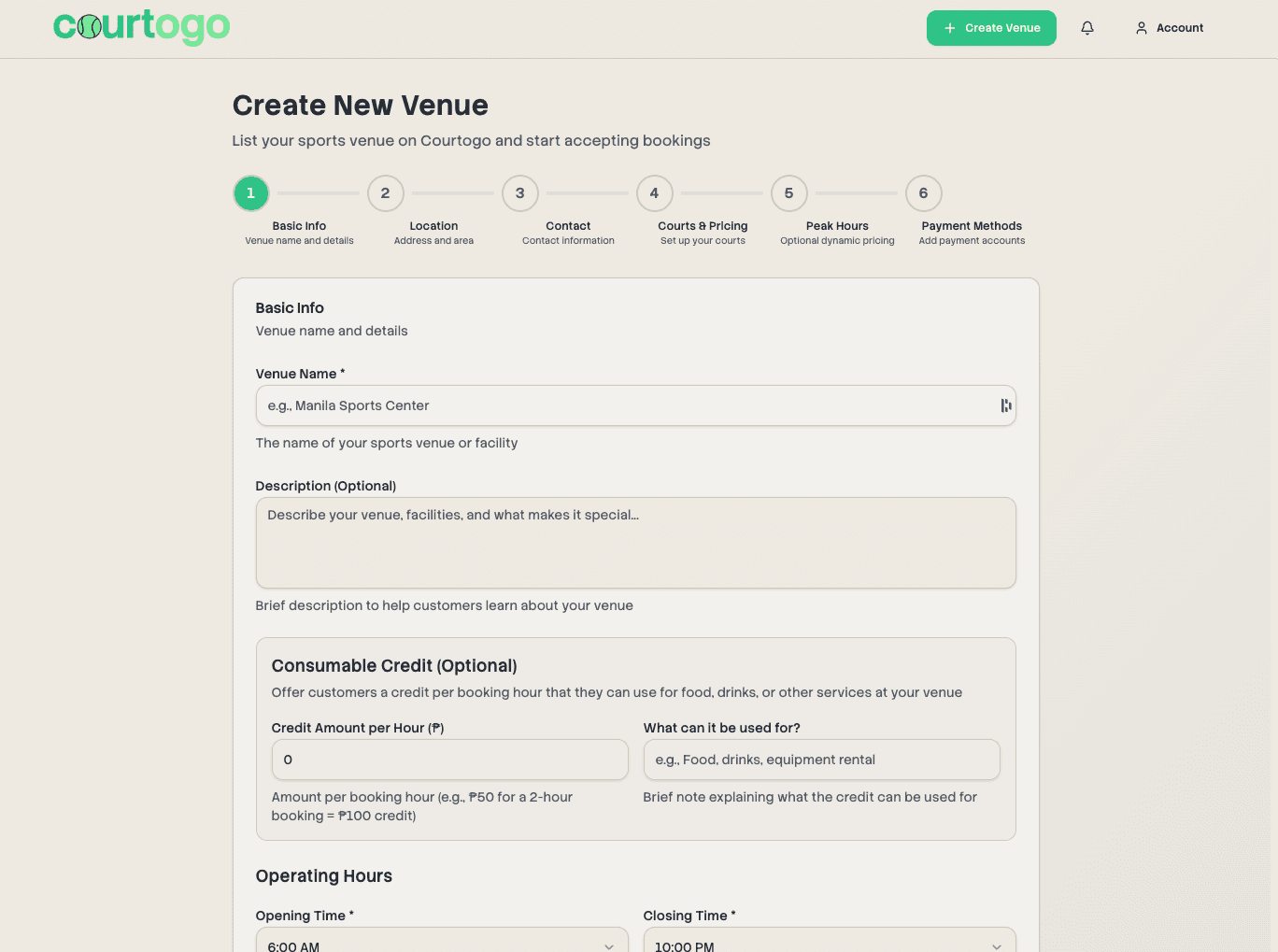
Set Up Your Venue
Add your venue name, location, operating hours, amenities, and upload photos. Configure your payment methods (GCash, bank transfer, etc.).
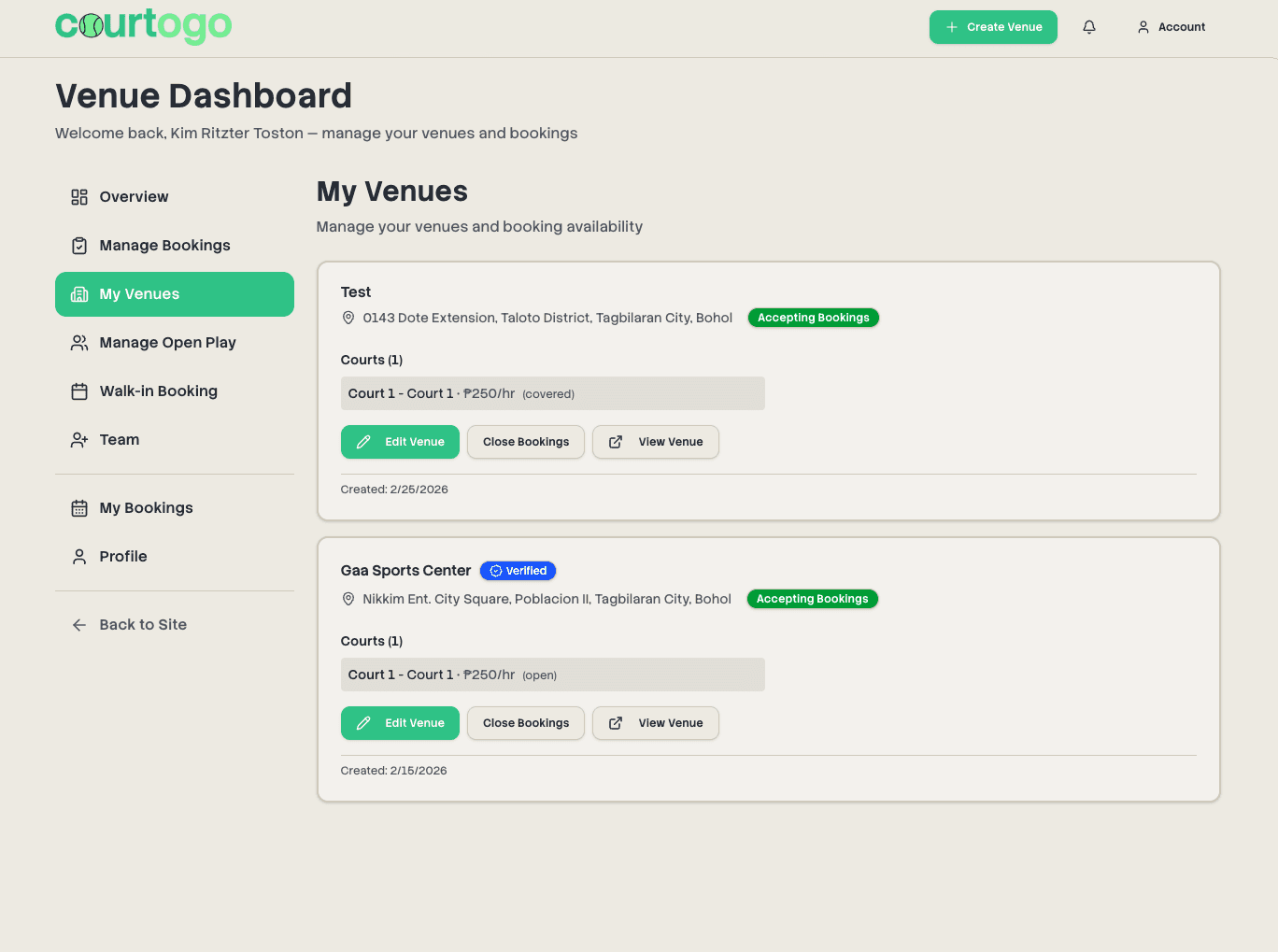
Add Your Courts
Add as many courts as you have. Set individual pricing, court types (badminton, basketball, volleyball, etc.), and peak hour rates.
Wait for Approval
Our team reviews your venue listing to ensure quality. Once approved, your venue goes live and players can start booking immediately.
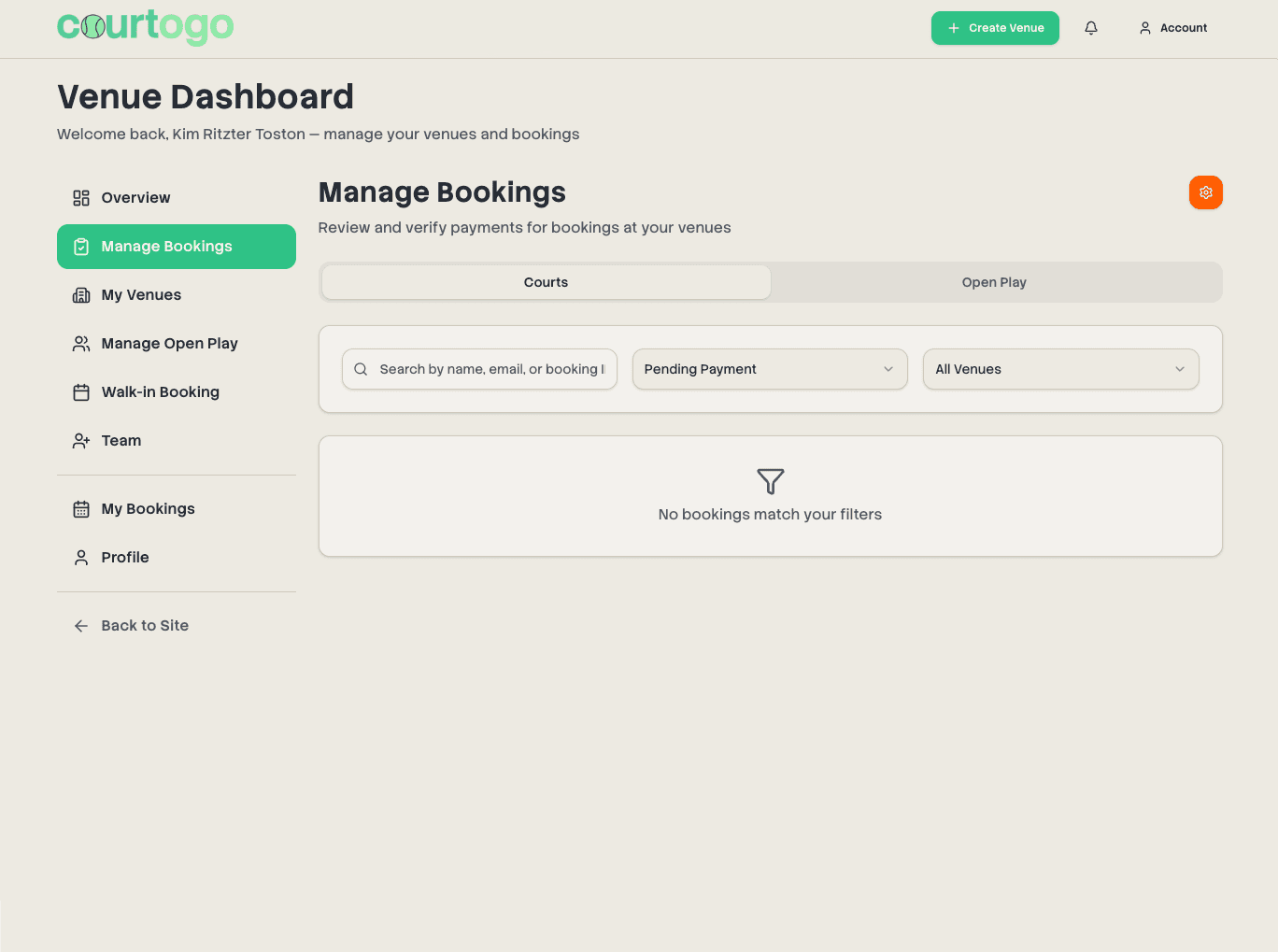
Manage Bookings & Payments
Review payment proofs, confirm or reject bookings, and keep an eye on your earnings. Handle walk-in customers directly from your dashboard.
Add Venue Managers
Assign team members to help manage your venue. Managers can accept bookings and handle walk-ins while you retain full control.
Payments & Payouts
Two ways to get paid. Pick the one that suits how you run your venue.
- Money lands in your own GCash, Maya, or bank account before the game is even played.
- No platform service fee on your bookings at all.
- You review the payment screenshot and confirm the booking from your dashboard.
- Refunds are settled between you and the customer, on your own terms.
- Customers pay by QR Ph at checkout, so bookings confirm instantly with no screenshots to review.
- You still receive 100% of your listed price. The service fee is added on top and paid by the customer.
- Earnings are batched and transferred to you every Monday and Thursday.
- Courtogo handles refunds end to end, including deducting them from a later payout.
Automated payments are opt-in. Manual payments stay free with no deadline, so you can switch when you're ready.
Payment Methods You Can Accept
Configure these when you set up your venue, and change them anytime.
GCash
Show your account details or upload your QR code. Customers pay and attach a screenshot.
Maya
Works the same as GCash, with your account number or a QR code image.
Bank transfer
Take InstaPay or PESONet transfers. Add your bank, account name, and account number.
QR Ph via PayMongo
For venues on automated payments. Customers scan in any banking or e-wallet app.
Cash in person
Optional. Customers reserve online and pay at the venue, and it stays pending until you confirm.
Walk-ins
Book someone in at the counter and it is recorded as paid cash straight away.
Getting Your Payouts
For venues on automated payments. Manual venues are already paid directly by the customer.
Where your money goes
Choose GCash, Maya, or a bank account (InstaPay / PESONet) as your payout destination.
When you get paid
Automatically every Monday and Thursday. Each run batches every confirmed online booking into one transfer.
What you need first
Accept the automated payment terms and fill in your payout details. Your first run follows straight after.
How you track it
Financials shows each payout cycle with earnings, refunds, deductions, and a CSV export.
What It Costs You
Nothing comes out of your earnings. Here is every fee in one place.
The platform service fee only applies to venues on automated payments, and it is added on top of your price at checkout rather than deducted from what you earn. The exact amount is always shown to the customer before they pay.
Why Venue Owners Choose Courtogo
Everything you need to manage your venue, completely free
No sign-up fees, no monthly fees, no commissions. You keep 100% of your listed prices.
On automated payments, bookings confirm themselves the moment the customer pays.
Track revenue, booking trends, popular time slots, and venue performance at a glance.
Get notified instantly when someone books your court, pays, or requests a reschedule.
Add venue managers with limited permissions. They can manage bookings without editing venue details.
Accept GCash, Maya, bank transfers, or cash. Upload your QR codes for easy player payments.
Your Owner Dashboard
A dedicated dashboard with everything you need
Overview & Analytics
- Total bookings, revenue, and trends
- Popular time slots analysis
- Recent activity feed
Booking Management
- Confirm or reject with one click
- View payment proof uploads
- Issue refunds and approve reschedule requests
Walk-ins & Front Desk
- Book a walk-in customer in seconds
- Charge peak rates, discounts, and add-ons at the counter
- See the day's roster with names and contact numbers
Schedule & Availability
- Day and week views across every court
- Block off one-off or recurring times
- Operating hours, overnight hours, and daily overrides
Pricing & Promotions
- Peak hour, weekend, and specific-date rates
- Voucher codes by percentage, fixed amount, or free
- Paid add-ons sold alongside the court
Money & Payouts
- Earnings split by online, walk-in, and direct payments
- Payout cycles with refunds and deductions
- CSV export for your own books
Team & Access
- Manager and staff roles with separate permissions
- Decide who can edit bookings or see revenue
- Request the verified badge for your listing
Venue Management
- Edit venue details anytime
- Open/close bookings instantly
- Manage team members
Ready to Grow Your Venue?
Join Courtogo today and start reaching more players. Setup takes less than 10 minutes, and it's completely free.